
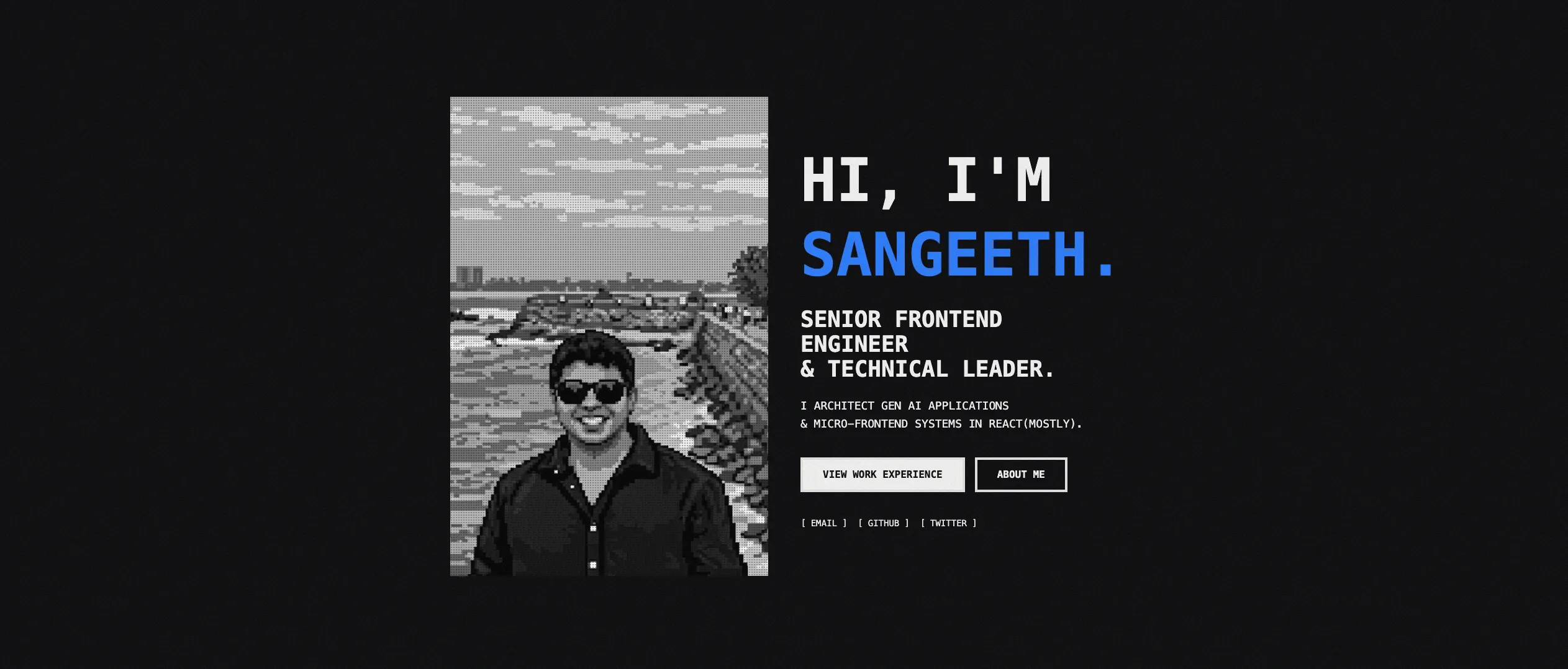
This post is about version one of the site, the dark brutalist one, which you can still visit. The site you’re reading now is version two.
It goes through the code. For the project overview and design philosophy, there’s a separate page.
Here’s how I built it and why I made the technical decisions I did.
The stack
Astro for the framework, TypeScript, Tailwind CSS v4 for styling, MDX for content, and Cloudflare Pages to host it.
Why Astro?
I wanted a content-first framework that didn’t ship JavaScript I didn’t need. That’s what Astro is for.
Content collections with type safety
For a portfolio site, the best part of Astro is content collections. You define a schema using Zod, and Astro generates TypeScript types automatically. Invalid content fails the build before it reaches production.
// src/content/config.ts
import { defineCollection, z } from 'astro:content';

const blog = defineCollection({
  type: 'content',
  schema: z.object({
    title: z.string(),
    date: z.date(),
    category: z.enum(['DESIGN', 'CODE', 'THOUGHTS']),
    description: z.string(),
    draft: z.boolean().default(false),
  }),
});

export const collections = { blog, projects };
This gives you build-time validation and auto-generated TypeScript types for every piece of content. If you typo a field name or use the wrong type, the build fails with a clear error message.
Invalid content fails the build before it reaches production.
No JavaScript by default
Astro generates static HTML. No React runtime, no hydration. Most of a portfolio site never changes after the build, so that’s a good fit.
When you do need interactivity, Astro’s islands architecture loads JavaScript only for specific components. Most of my pages ship no JavaScript at all, just HTML and CSS.
How routing works
Astro uses file-based routing. Files in src/pages/ become routes automatically:
src/pages/index.astro→/src/pages/blog/index.astro→/blogsrc/pages/projects/[slug].astro→/projects/*
For dynamic routes like blog posts and projects, you use getStaticPaths() to generate routes at build time:
// src/pages/blog/[slug].astro
export async function getStaticPaths() {
  const posts = await getCollection('blog');
  return posts.map(post => ({
    params: { slug: post.slug },
    props: { post },
  }));
}
At build time, Astro calls this function, gets all blog posts from the content collection, and generates a static HTML page for each one. No server needed.
Content in MDX
All content lives in MDX files under src/content/: blog posts, projects and the about page.
MDX is markdown that can also include Astro components. I rarely use components in content, but they’re there when I need one.
How posts render
When you build the site, Astro:
- Reads all MDX files from
src/content/blog/ - Validates frontmatter against the Zod schema
- Generates TypeScript types for the content
- Compiles MDX to static HTML
- Applies syntax highlighting with Shiki
- Outputs static pages to
dist/
For syntax highlighting, I configured Shiki in the Astro config with dual themes for light/dark mode:
// astro.config.mjs
export default defineConfig({
  markdown: {
    shikiConfig: {
      themes: {
        light: 'github-light',
        dark: 'github-dark',
      },
    },
  },
});
Shiki runs at build time, so syntax highlighting adds zero JavaScript to the page. Just pre-highlighted HTML with CSS.
Drafts
The draft system uses environment variables to filter content:
// In development: show all posts
// In production: hide drafts
export async function getPublishedPosts() {
  return getCollection("blog", ({ data }) =>
    import.meta.env.PROD ? !data.draft : true
  );
}
This lets me work on posts locally without publishing them. When ready, I flip draft: false in the frontmatter and deploy.
Styling with Tailwind CSS v4
Why v4 over v3
Tailwind v4 moves configuration out of JavaScript and into CSS. What that meant for me:
- No
tailwind.config.js. One@import "tailwindcss"and it works. - Every design token is also a CSS variable I can use anywhere.
- It uses cascade layers and
@propertyfrom modern CSS.
The v4 announcement covers the rest.
How theming works
Theme colors are CSS custom properties that switch with light and dark mode:
/* src/styles/global.css */
@import "tailwindcss";

/* Light mode colors */
:root {
  --color-background: var(--color-stone-100);
  --color-foreground: var(--color-zinc-950);
  --color-accent: var(--color-blue-600);
  --color-border: var(--color-zinc-950);
}

/* Dark mode colors */
.dark {
  --color-background: var(--color-zinc-950);
  --color-foreground: var(--color-stone-100);
  --color-accent: var(--color-blue-500);
  --color-border: var(--color-stone-200);
}

/* Tailwind v4 design tokens */
@theme {
  --font-family-mono: 'IBM Plex Mono', 'JetBrains Mono', monospace;
  --color-brutal-black: var(--color-zinc-950);
  --color-brutal-blue: var(--color-blue-600);
  --border-width-brutal: 4px;
  --shadow-brutal-sm: 4px 4px 0px 0px var(--color-shadow);
}
The @theme block defines design tokens that Tailwind uses to generate utility classes. The :root and .dark blocks define semantic colors that change based on the theme.
Toggling dark mode adds or removes the dark class on <html>, and every semantic color updates with it. Components don’t know about themes. They use bg-background or text-foreground and get the right color.
Custom component classes
For reusable patterns like halftone effects, I create custom classes in separate CSS files:
/* src/styles/halftone.css */
@layer components {
  .halftone-fade-right {
    position: relative;
    overflow: hidden;
    --halftone-dot-color: var(--color-halftone-dot);
  }

  .halftone-fade-right::after {
    content: "";
    position: absolute;
    inset: 0;
    background-image: radial-gradient(
      circle,
      var(--halftone-dot-color) 1px,
      transparent 1px
    );
    background-size: 4px 4px;
    mask-image: linear-gradient(to right, transparent 10%, black 100%);
  }
}
This creates a halftone pattern that fades from left to right. The @layer components directive tells Tailwind where to inject these classes in the generated CSS.
The brutalist look
Around 2021 and 2022 I started noticing brutalist web design. Gumroad and Zapier were using heavy borders and stark contrast, and I liked it. It put the content first and didn’t decorate much.
My site doesn’t follow brutalism strictly, but it borrows a lot from it, and the whole look comes from a handful of design tokens.
In code
The heavy borders are a design token, --border-width-brutal: 4px, applied with utilities like border-4. Monospace is set once on the body with font-family: var(--font-family-mono), and everything inherits it. The contrast comes from two semantic tokens, --color-foreground and --color-background, that stay far apart in both light and dark mode.
Project structure
src/
├── components/       # Reusable Astro components
│   ├── Footer.astro
│   ├── Header.astro
│   └── ui/          # UI components (Card, Button, etc.)
├── content/
│   ├── blog/        # Blog posts (MDX)
│   ├── projects/    # Project pages (MDX)
│   └── config.ts    # Content collection schemas
├── layouts/
│   └── Layout.astro # Base layout with <head>, theme toggle
├── pages/
│   ├── index.astro  # Homepage
│   ├── blog/
│   │   ├── index.astro        # Blog listing
│   │   └── [slug].astro       # Individual post pages
│   └── projects/
│       └── [slug].astro       # Individual project pages
├── styles/
│   ├── global.css   # Tailwind imports, design tokens, themes
│   └── halftone.css # Custom halftone patterns
└── utils/           # Helper functions for content queries

public/              # Static assets (images, fonts, etc.)
Content lives in src/content/ with schemas defined in config.ts. Components are in src/components/. Pages define routes. Styles are pure CSS with Tailwind v4.
The build
Running bun run build:
- Astro reads everything in
src/content/. - It validates frontmatter against the Zod schemas and fails the build if anything’s wrong.
- It generates TypeScript types for the collections.
- It compiles MDX to HTML and highlights code with Shiki.
- It calls
getStaticPaths()for the dynamic routes. - It renders every page to static HTML.
- Tailwind scans the markup and generates only the CSS that’s used.
- Images and fonts get optimized.
- The result lands in
dist/.
The entire site is pre-rendered at build time. No server needed.
What the build catches
If content doesn’t match the schema, the build fails:
Error: Invalid frontmatter in blog/example.mdx
  - Expected date, received string
  - Missing required field: category
Missing fields and wrong types in the frontmatter never reach production. TypeScript checks the code, and Zod checks the content.
Deployment on Cloudflare Pages
I push to GitHub, and Cloudflare Pages:
- Detects the commit
- Runs
bun run build - Deploys the
dist/folder to their edge network - Invalidates the cache
- The site is live a few seconds later
Every branch also gets its own preview URL, which is where I check changes before merging to main.
Deploying with Wrangler
I can also deploy straight from my machine with Wrangler, Cloudflare’s CLI. I use it for one-off deploys and for testing config changes before pushing to GitHub.
Plans for later
The site is fully static: no Workers, no edge functions. Things I’d like to add with Cloudflare:
- What I’m listening to on Spotify, live
- Page view counts without a third-party analytics script
Workers, KV and D1 sit on the same platform as Pages, so adding those shouldn’t mean moving the site anywhere.
Looking back
Content collections, TypeScript with Zod, Tailwind v4 and MDX all worked well for a site like this. The one thing I’d change is pulling repeated markup into components earlier.
What I learned
Content-first frameworks are underrated
For a blog or a portfolio, Astro fits better than a React framework like Next.js. Unless the site needs a lot of interactivity, the React runtime is weight you don’t need.
Type checks catch the boring bugs
TypeScript for code and Zod for content caught a lot of mistakes:
- Wrong prop types in components
- Missing fields in content
- Incorrect enum values
- Type mismatches in utility functions
All of them at build time, none in production.
Learning a framework with AI
I built this site with Claude Code. Learning a new framework used to mean reading the docs, watching tutorials and a lot of trial and error. I’ve been doing frontend for years, so I only needed the Astro-specific parts.
That meant the Image component, client directives and when to use them, how frontmatter connects to content collections, and how Astro configs are usually laid out.
Instead of reading the docs front to back first, I got each concept explained at the moment I needed it, in my own code. I still read the docs for some parts. But most of it I learned by building and asking.
Wrapping up
The technology was the easy part. Sitting down and finishing it was the hard part.
If you’re thinking about building a portfolio, pick a framework (I’d pick Astro), pick a look, and publish something. You can improve it later. I did, and this version has since been replaced.